Blueprint Printing: 7 Things to Check Before Sending Drawings to Site
Learn seven checks to make before sending construction drawings to site, from missing dimensions and outdated revisions to blueprint printing and scale accuracy.

A set of construction drawings can look complete, arrive on time, and still leave a project manager with questions that should have been answered before the drawings reached the site.
A missing dimension can delay setting out. An unclear annotation can lead to the wrong installation. An outdated revision can send a crew back to work they thought was finished. Even a correctly prepared drawing can cause problems if it is printed at the wrong scale.
These issues affect more than the architect who prepares the drawings. Project managers, site superintendents, engineers, and subcontractors depend on accurate information to coordinate work, plan resources, and keep construction moving.
Before issuing drawings for site use, teams need to check both the information in the drawings and the way that information appears on paper.
Here are seven things to check before sending architectural and construction drawings to site.
1. Missing or incomplete dimensions
Dimensions tell the construction team what to build and where to position it. When measurements are missing or incomplete, workers may have to stop and request clarification or make assumptions that lead to costly corrections.
Imagine a floor plan showing the position of a doorway but missing the dimension between the opening and the nearest wall. The architect may understand the intended layout, but the site team still needs a reliable measurement to set out the opening correctly.
For a project manager, this creates an avoidable problem. Work may pause while the team waits for clarification, or construction may proceed using an assumption that later proves incorrect.
What to check before issuing drawings:
Confirm that critical dimensions are present for the work being carried out.
Check that dimension strings, offsets, levels, and opening sizes are consistent.
Review the dimensions needed for setting out, fabrication, and installation.
Flag any missing information with the design team before work proceeds.
Before You Print
Before your blueprint printing process begins, ensure every dimension is accounted for. Also, be sure to choose a paper size that allows measurement labels and dimension lines to be read clearly.
A larger sheet may be necessary for a dense floor plan or a drawing with many small details. However, a clear print cannot correct a missing dimension. If the information is absent from the source drawing, the design team must provide it.
2. Unclear annotations and unreadable notes
A drawing communicates through more than lines and measurements. Notes, symbols, material labels, callouts, and specifications explain what those lines represent and how different elements should be understood.
Problems arise when annotations overlap, abbreviations are unfamiliar, or text is too small to read. A note describing a wall finish, for example, may be clear on a large computer monitor but difficult to read on a printed sheet. If the site team misses that instruction, the wrong material or finish could be installed.
Project managers need drawings that communicate instructions without leaving room for unnecessary interpretation. When a worker has to guess what a note means, the drawing is not doing its job effectively.
What to check before issuing drawings:
Read the notes, legends, symbols, and callouts attached to the work being performed.
Check that abbreviations are explained where needed.
Confirm that leader lines point to the correct elements.
Look for overlapping text or annotations that could be mistaken for other information.
The goal is to make the information usable so the team on site can seamlessly consult it.
3. Inconsistent drawing references
Architectural drawings rarely work in isolation. A floor plan may refer to an elevation, a section, or an enlarged detail on another sheet. These references help the construction team move between drawings to understand how different parts of a building fit together.
The problem starts when a reference points to the wrong sheet, identifies a detail that does not exist, or uses a different detail number from the one shown elsewhere.
For example, a floor plan may direct the contractor to a wall section on another drawing. If that reference is incorrect, the contractor could use an unrelated detail or spend time searching for information that is not included in the drawing set.
For the project manager, inconsistent references create coordination delays and make it harder to confirm that the team has all the information needed for the next stage of work.
What to check before issuing drawings:
Confirm that section markers and elevation references point to the correct sheets.
Check detail numbers against the relevant detail drawings.
Verify that referenced schedules and supplementary sheets are included.
Review sheet numbers and drawing titles so the team can identify each document easily.
Before You Print
When you want to print the complete drawing sets, ensure that the title blocks, sheet numbers, and reference markers are intact. Check that the selected print settings have not cropped off information near the edges of the page.
Pro tip: When several drawings work together, a complete and properly ordered set makes it easier for the project manager to locate the right information during site meetings and inspections.
4. Incorrect or altered drawing scale
A drawing can contain accurate dimensions and still become misleading when it is printed at the wrong scale.
Architectural drawings are prepared for specific sheet sizes and scales. A floor plan might be drawn at 1:100, while an enlarged detail might use a scale of 1:20. These scales tell the reader how the drawing relates to the actual size of the building or component.
Problems arise when the printed output no longer matches the intended scale.
Consider a drawing prepared for an A1 sheet that is printed on A3 paper using the printer's "Fit to Page" setting. The printer may reduce the drawing to fit the smaller sheet. The drawing can still look neat and complete, but its original scale may no longer be valid.
If someone measures a wall or opening directly from that print, the result could be wrong.
For a project manager, this matters when teams use printed drawings to review dimensions, compare layouts, or check clearances. Incorrect measurements can lead to poor decisions, especially when someone treats a scaled drawing as a substitute for verified dimensions.
How to preserve scale for construction drawings and blueprint printing
Before printing construction drawings, check the following:
1. Confirm the intended sheet size. Check the drawing title block or issue information to determine the paper size for which the drawing was prepared.
2. Select the correct print setting. When the drawing must retain its original scale, use the intended paper size and select "Actual Size" or a 100% print setting where supported. Avoid "Fit to Page" or "Shrink to Fit" unless the drawing is deliberately being resized and the change is understood.
3. Check a known dimension or scale bar. After printing, verify a known measurement or the scale bar against the expected printed length. A quick check can reveal an unexpected change in size.
4. Treat resized drawings with care. If a drawing has been reduced or enlarged, its stated scale may no longer apply. Identify the altered output clearly as not to scale where appropriate, and do not use it for scaled measurements.
Most importantly, verify critical dimensions against the approved drawing information rather than relying on a ruler placed against the printed sheet. A written dimension is the appropriate reference for a specified measurement, provided the drawing itself has been checked and approved for the intended work.
Correct blueprint printing helps preserve the design information. It does not replace the need to check dimensions before construction begins.
Your drawings are ready. Let's get them printed.
Skip the extra trip to the print shop. PrintMyDrawings makes it easy to order professional blueprints and construction drawings online, with transparent pricing and convenient fulfillment options. Upload your files, review your quote, and get your drawings ready for the job site.

5. Incomplete construction details
A floor plan may show where a wall belongs without explaining every part of how that wall should be built. The site team may also need a section, an enlarged junction detail, a specification, or a schedule to understand the required construction.
Consider a roof-to-wall junction. The general arrangement drawing may show the roof and wall meeting, but the team could need a separate detail to understand the waterproofing, insulation, and connection between the two elements.
Without that information, the contractor may have to stop work and request clarification. If the team proceeds based on an assumption, the result may not match the approved design.
Project managers need to know that the drawing package contains enough information for the work being released. A missing detail can affect several trades, especially when one element depends on another being installed correctly.
What to check before issuing drawings:
Confirm that the relevant sections, enlarged details, and schedules are included.
Check that the details cover the interfaces needed for the upcoming construction activity.
Review the specifications and supporting documents referenced by the drawings.
Raise unresolved design questions before the affected work begins.
Before You Print
Make sure the printed package includes the supplementary sheets needed to understand the work. A general arrangement drawing alone may not be sufficient for the site team's needs.
For drawings with small details, check that the chosen output size makes the information readable. If an enlarged detail is required, print the appropriate detail sheet rather than expecting the team to interpret fine linework from a reduced overview.
6. Outdated revisions
A drawing that was correct last month may no longer reflect the approved design. Changes to dimensions, layouts, materials, structural elements, or building services can make an earlier issue unsuitable for construction.
The danger is that an outdated drawing may still look perfectly professional. Its lines are clear, its dimensions are readable, and its title block may appear complete. The problem is that the information has been superseded.
For example, an architect may revise a doorway after a coordination meeting. If the site team continues working from the earlier drawing, the opening could be constructed in the wrong position or size.
The project manager then has to deal with the consequences, which may include rework, wasted materials, programme delays, and disagreements over which information the team should have followed.
What to check before issuing drawings:
Review the revision number and issue date on each sheet.
Confirm that the drawings have the correct status for the intended use, such as approved for construction where required.
Check the issue against the current drawing register or transmittal.
Withdraw or clearly mark superseded copies according to the project's document-control process.
Before You Print
Your blueprint printing should be done from the current, approved source files rather than a previously printed set or an old email attachment.
Check that all sheets belong to the intended issue. A drawing package containing a mixture of old and new revisions can be misleading, even if each sheet looks correct on its own.
A newly printed drawing is not automatically the latest approved drawing. Revision control must happen before the file reaches the printer.
7. Conflicting information between drawings
Individual drawings may appear correct while contradicting information on other sheets.
This often happens when architectural, structural, and mechanical, electrical, and plumbing (MEP) drawings are not fully coordinated. An architectural plan may show a wall in one position while a structural drawing or service layout assumes a different arrangement.
For instance, a proposed ceiling layout may conflict with ductwork or pipework shown on an MEP drawing. If the issue is discovered after installation begins, the team may have to move services, revise supports, or alter the ceiling arrangement.
For a project manager, the concern is not simply that two drawings look different. The concern is that separate trades may act on conflicting instructions, creating work that cannot be completed as planned.
What to check before issuing drawings:
Compare relevant architectural, structural, and MEP drawings for the work scheduled to begin.
Check shared dimensions, opening locations, levels, and interfaces between building elements.
Identify discrepancies and refer them to the responsible design professionals.
Record the agreed resolution through the project's established coordination and document-control process.
Before You Print
Having the relevant sheets available together can make comparisons easier during coordination meetings. A complete printed set can help the project manager and site team discuss an issue while referring to the same information.
However, printing cannot resolve a design conflict. If two approved drawings contain contradictory information, the responsible professionals must clarify which information should govern the work before the team proceeds.
Before sending drawings to site: A final checklist
Checking seven separate issues may seem like extra work, but a short review before issuing drawings can prevent avoidable questions once construction is underway.
Use this checklist before sending a drawing package to the site team.
Dimensions: Are the critical measurements complete and consistent?
Annotations: Can the team read the notes, symbols, and callouts clearly?
References: Do section markers, detail numbers, and sheet references point to the correct information?
Scale: Is the drawing printed at the intended size, with critical dimensions or the scale bar checked?
Details: Are the sections, schedules, and supplementary details needed for the work included?
Revisions: Does every sheet belong to the correct, approved issue?
Coordination: Have conflicting details between relevant disciplines been identified and resolved?
Print quality: Are the sheets complete, legible, and free from accidental cropping?
The person responsible for issuing the drawings should also confirm that the package is suitable for the intended construction activity. A set prepared for design review, for example, may not have the same status as one approved for construction.
Once the checks are complete, the drawings are in a better position to serve their purpose: giving the site team clear, consistent information to work from.
Get your construction drawings printed without the extra trip
Preparing accurate drawings is one part of the process. Getting them printed at the right size, with the necessary details visible, is another.
When a project manager needs drawings for a site meeting, a new construction phase, or a coordination review, time spent arranging printing can add another task to an already busy schedule.
PrintMyDrawings helps architects, engineers, contractors, and project managers order professional drawing prints online. Upload your files, choose the required print specifications, review your quote, and arrange pickup or delivery where available.
For your next set of blueprints or architectural drawings, visit printmydrawings.com to get a quote and arrange your prints.
The aim is simple: give your team the right drawings, in a usable format, before the work begins.
Your next set of blueprints is just a few clicks away.
Related Articles
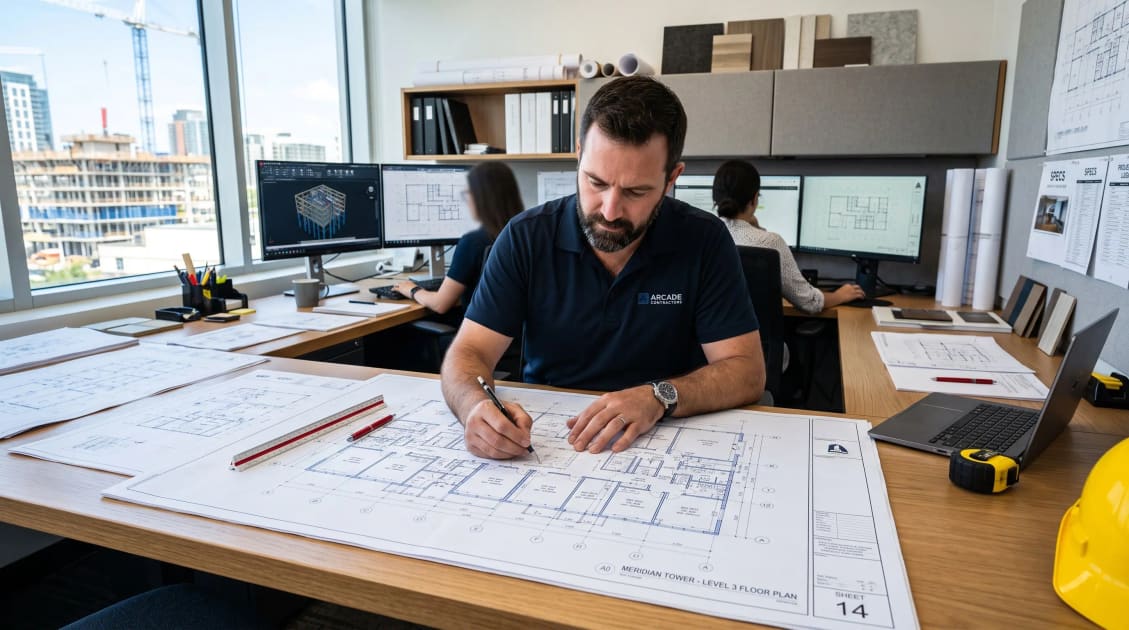
How to Choose the Right Blueprint Printing Service for Contractors
Discover top blueprint printing services for contractors to ensure accurate construction plans and efficient workflows.

How to Reduce Blueprint Printing Costs for Construction Teams
Discover effective strategies to reduce blueprint printing costs for architecture and construction teams without compromising quality.

Ultimate Guide to Blueprint Printing: Local vs Big-Box
Elevate your projects with our expert blueprint printing services. Contact us today for high-quality prints that meet your construction needs!
Choosing the Right Paper Type for Printing Construction Drawings
When it comes to printing architectural and engineering drawings, choosing the right paper type is crucial. Looking for where to print in Nigeria? Let's help