Print blueprints from your phone
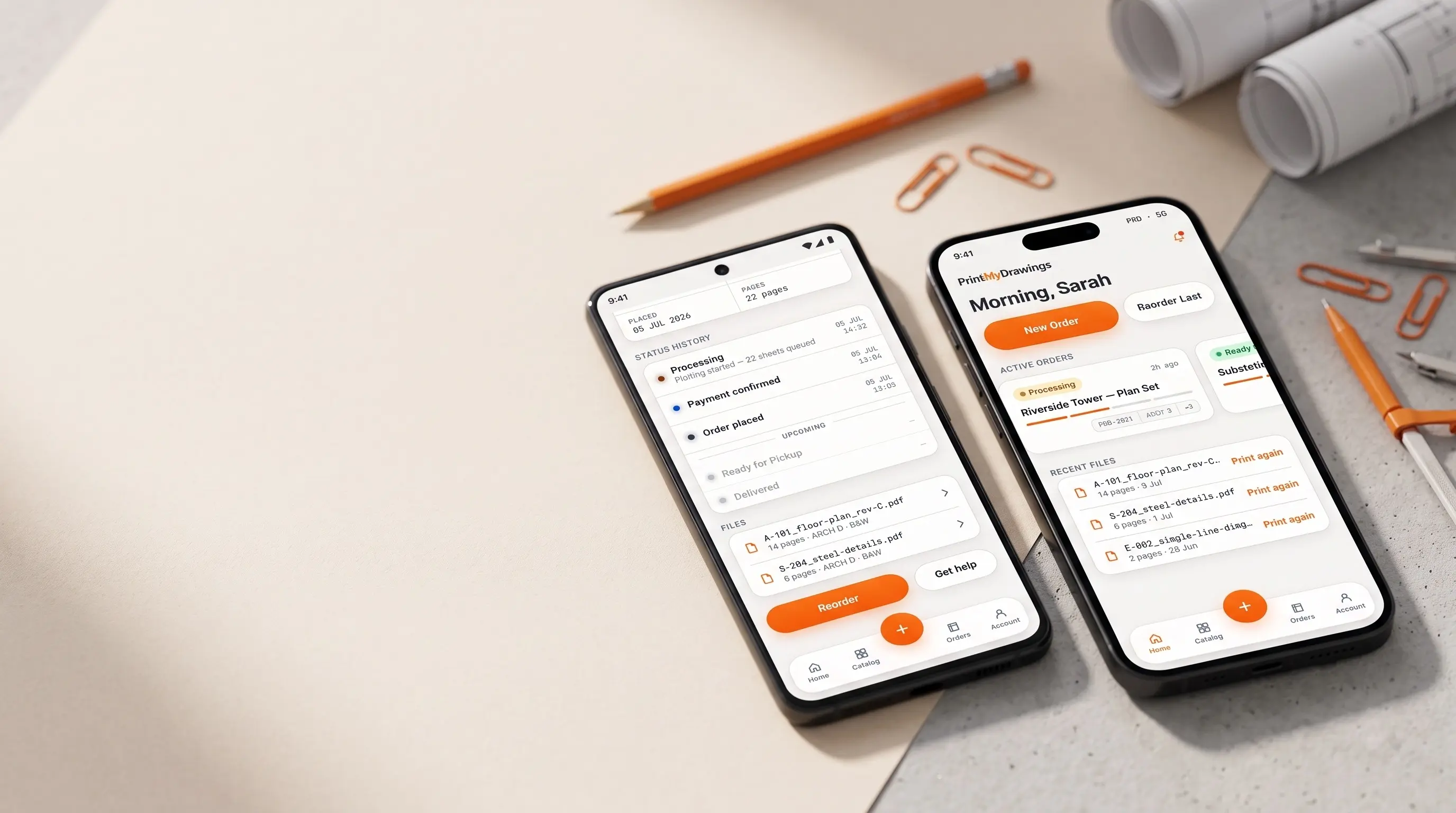
Upload blueprints, get instant quotes, and track your orders — from your phone or as a desktop app. Free app, no extra charge. Scroll down to install on your device.
Choose your platform
PrintMyDrawings is a Progressive Web App — one install covers every device you own.
iOS
iPhone & iPad
Android
Phone & Tablet
Desktop
Mac & Windows
Open this page in Chrome or Edge. Look for the install icon (⊕) in the address bar.
Everything you need, on any device
The same powerful platform you know — optimized for mobile and desktop alike.
Instant Quotes
Upload your drawings and get a price in seconds — no waiting for email back-and-forth.
Real-Time Tracking
Get notified the moment your order is accepted, printed, and ready to collect.
Reorder in One Tap
Reorder any previous print directly from your history without re-uploading the file.
Print from the job site, not the office
Most drawings need printing when you are nowhere near a desk — a revision lands while you are on site, a consultant sends a marked-up set from their car, the contractor needs another copy before tomorrow morning. The app exists for those moments.
Upload a PDF straight from your phone, from email, or from cloud storage, pick your paper size and finish, and send it to the nearest print location. You get a price before you commit, and a notification when the prints are ready to collect or out for delivery.
What people use it for
- Printing revised drawings on site — upload the new issue from your phone and collect it on the way back.
- Getting a price before approving a job — size, paper and quantity give you a figure in seconds.
- Reordering a previous set — pull it from your order history rather than hunting for the original file.
- Tracking an order someone else placed — anyone on your team account sees the same jobs.
- Sending prints to a different address — deliver to a site office rather than your own.
On iPhone, Android and desktop
iPhone and iPad
Upload from Files, Photos, iCloud Drive or straight out of Mail using the share sheet — no need to move a drawing to a computer first. Order updates arrive as push notifications, and Face ID keeps your account and drawings behind your device lock.
Android
Share a PDF into the app from Drive, Gmail or any file manager. Large drawing sets upload in the background, so you can lock the phone and carry on while a set finishes sending.
Mac and Windows
Install the web app from Chrome or Edge for a desktop window without a browser tab. It suits reviewing a full set on a bigger screen before you commit to printing it.
Your account, order history and saved addresses are the same everywhere — start a job on the phone and finish it at the desk.
Questions about the app
- Can I print blueprints directly from my phone?
- Yes. Upload a PDF from your phone's files, photos or email, choose the paper size and finish, and send it to a print location. You do not need a computer at any point.
- Is the app free?
- The app is free to download and use on iPhone, iPad, Android and desktop. You only pay for the printing itself, at the same prices as the website.
- What file types can I upload?
- PDF is best for drawings because it preserves scale and line weight. Common image formats are supported too, and large multi-page sets upload in the background.
- Can I track an order from the app?
- Yes. You get a notification when your order is accepted, when it has been printed, and when it is ready to collect or out for delivery. Order history is shared across every device you sign in on.
- Can I reorder a previous print?
- Yes. Any past order can be reordered from your history without re-uploading the original drawing, which is useful when a site copy gets damaged or an extra set is needed.
- Do I need a separate account for the app?
- No. Sign in with the account you already use on the website. Team accounts work the same way, so everyone sees the same orders.